10.1.1 Vision Basics ロードマップ:Pixels、Channels、Processing
Computer vision は input intuition から始まります。classification、detection、segmentation の前に、image がどんな数字として扱われるかを理解します。
まず image pipeline を見る
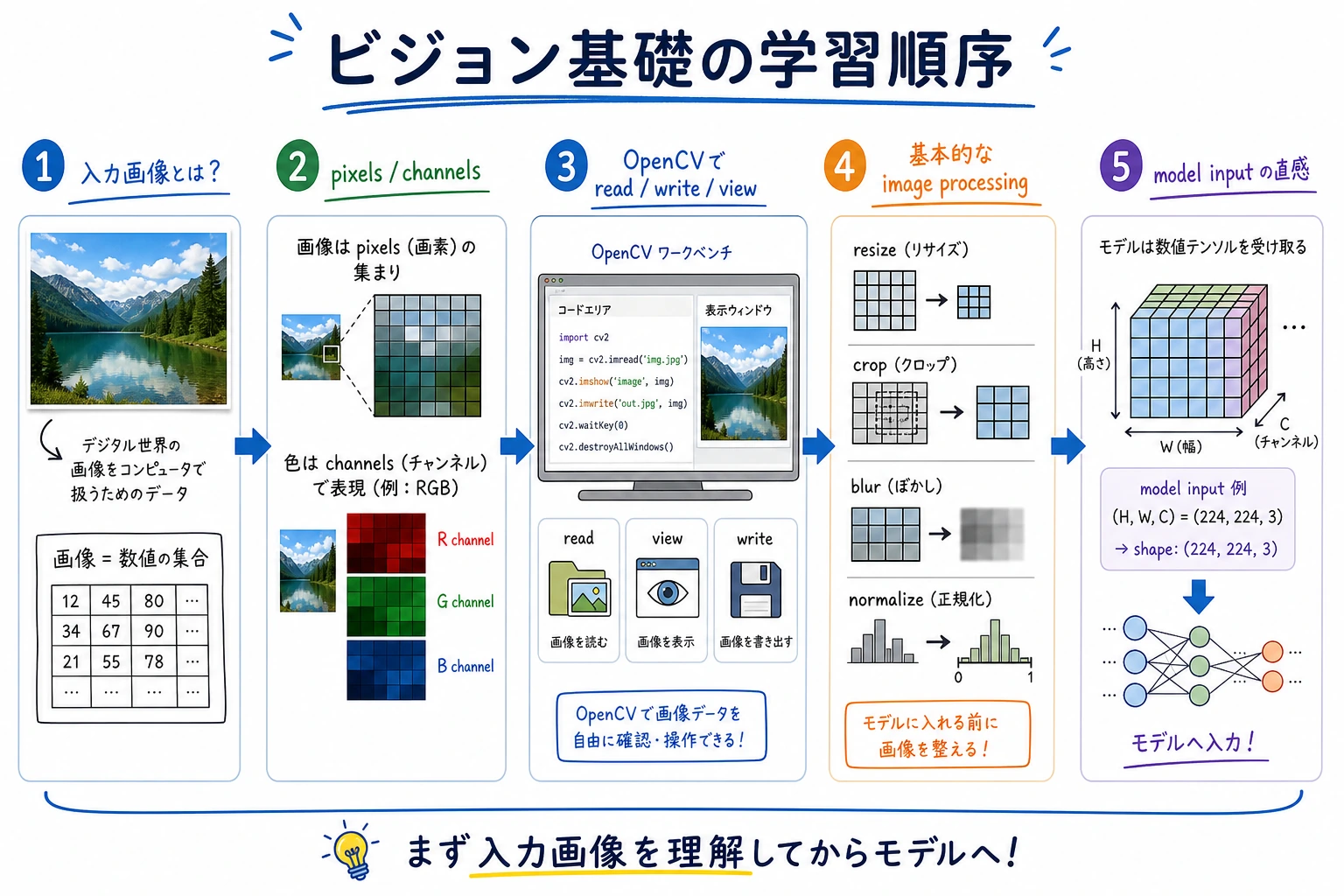
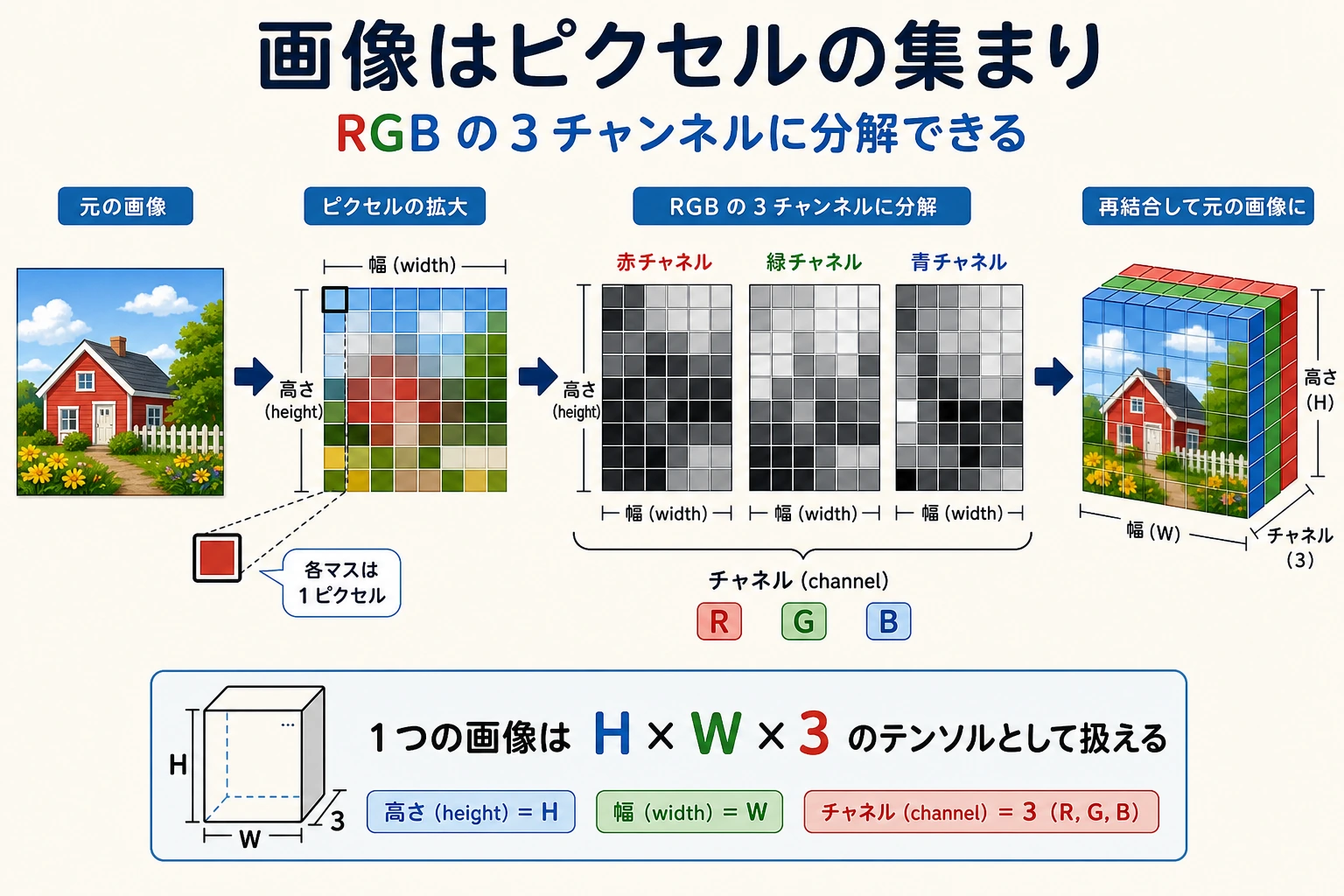
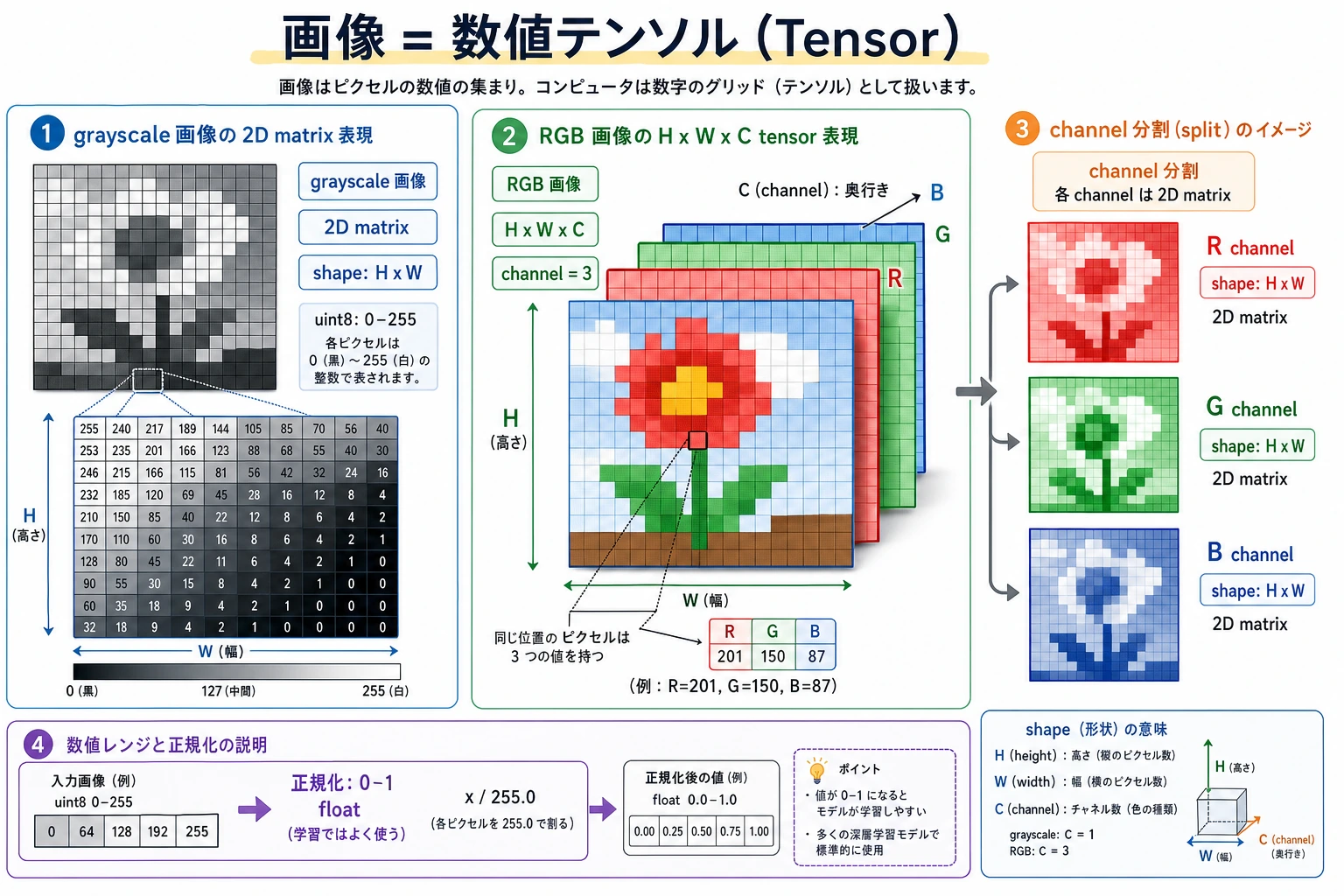
最初の mental model は単純です:image = height × width × channels。多くの後続 bug は shape、channel order、coordinates、color space の混同から来ます。
小さな image shape check を動かす
この toy image は 2 rows、3 columns、RGB values を持ちます。
image = [
    [[255, 0, 0], [0, 255, 0], [0, 0, 255]],
    [[255, 255, 255], [0, 0, 0], [128, 128, 128]],
]

height = len(image)
width = len(image[0])
channels = len(image[0][0])
top_left_pixel = image[0][0]

print("shape:", (height, width, channels))
print("top_left_pixel:", top_left_pixel)
出力:
shape: (2, 3, 3)
top_left_pixel: [255, 0, 0]
実画像を wrong shape や wrong channel order で読むと、その後の model result は信頼しにくくなります。
この順番で学ぶ
| 手順 | 読む内容 | 実践アウトプット |
|---|---|---|
| 1 | Image representation | pixel、channel、height、width、RGB/BGR を説明する |
| 2 | OpenCV basics | image の load、view、crop、resize、save を行う |
| 3 | Basic processing | grayscale、threshold、blur、edge、simple filters を試す |
合格ライン
image shape を inspect し、coordinates で region を crop し、channel order を説明し、processed result を README 用に保存できれば、この章は合格です。