12.3.1 视频与语音路线图:脚本、时间线、同步
视频和语音生成多了一个关键维度:时间。你不再只是生成一张图,而是在时间线上组织脚本、镜头、旁白、字幕、动作和审核。
先看时间线
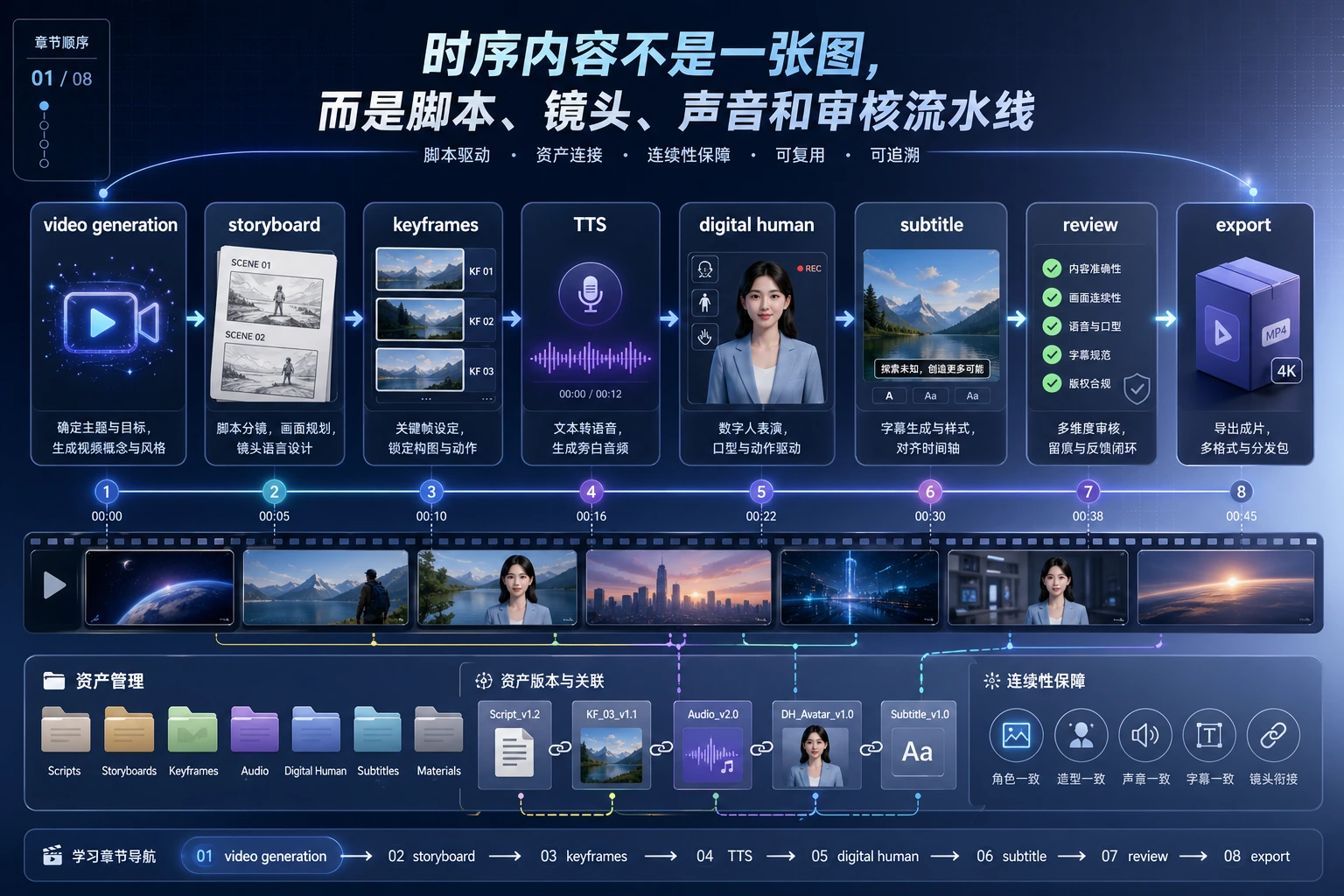
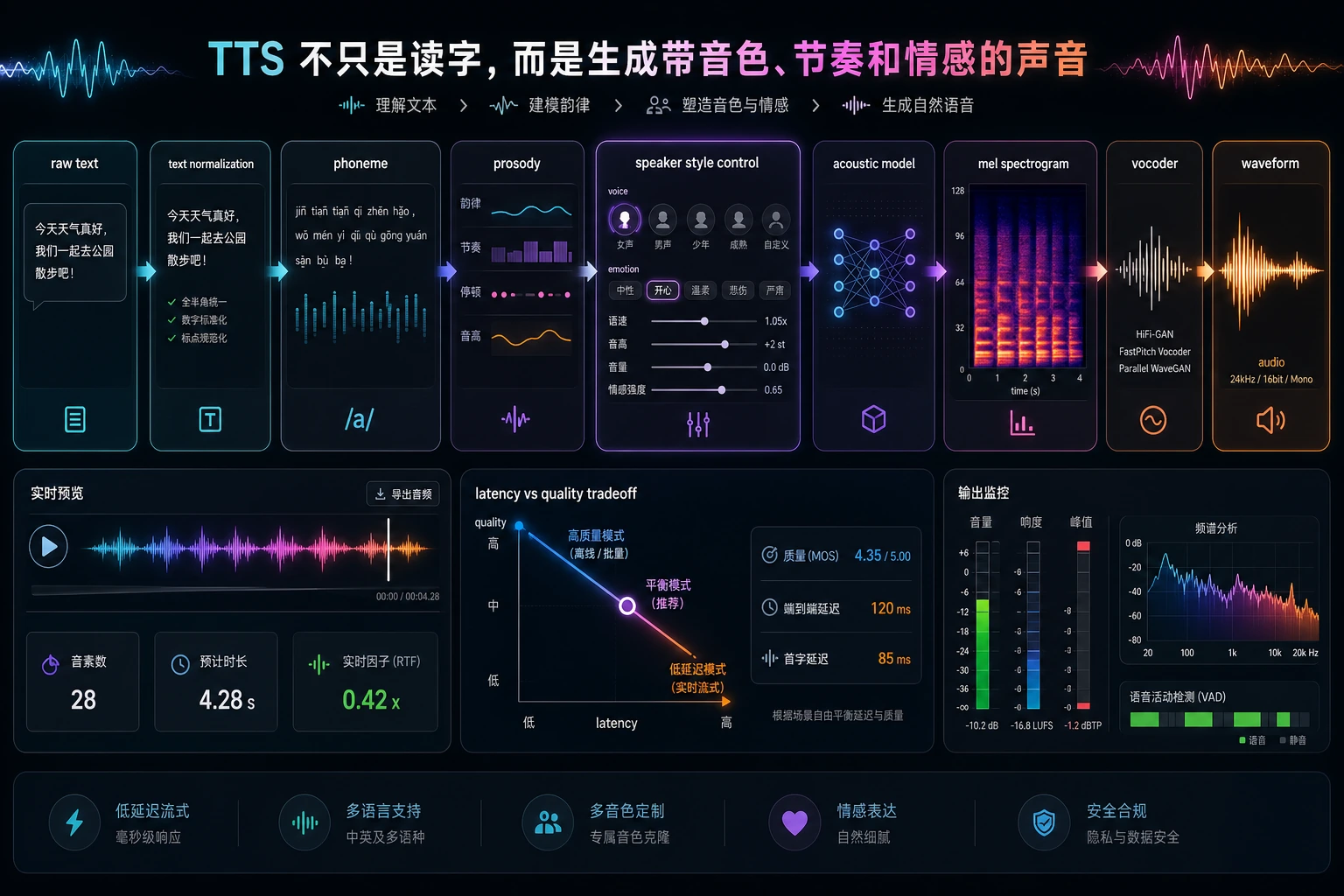
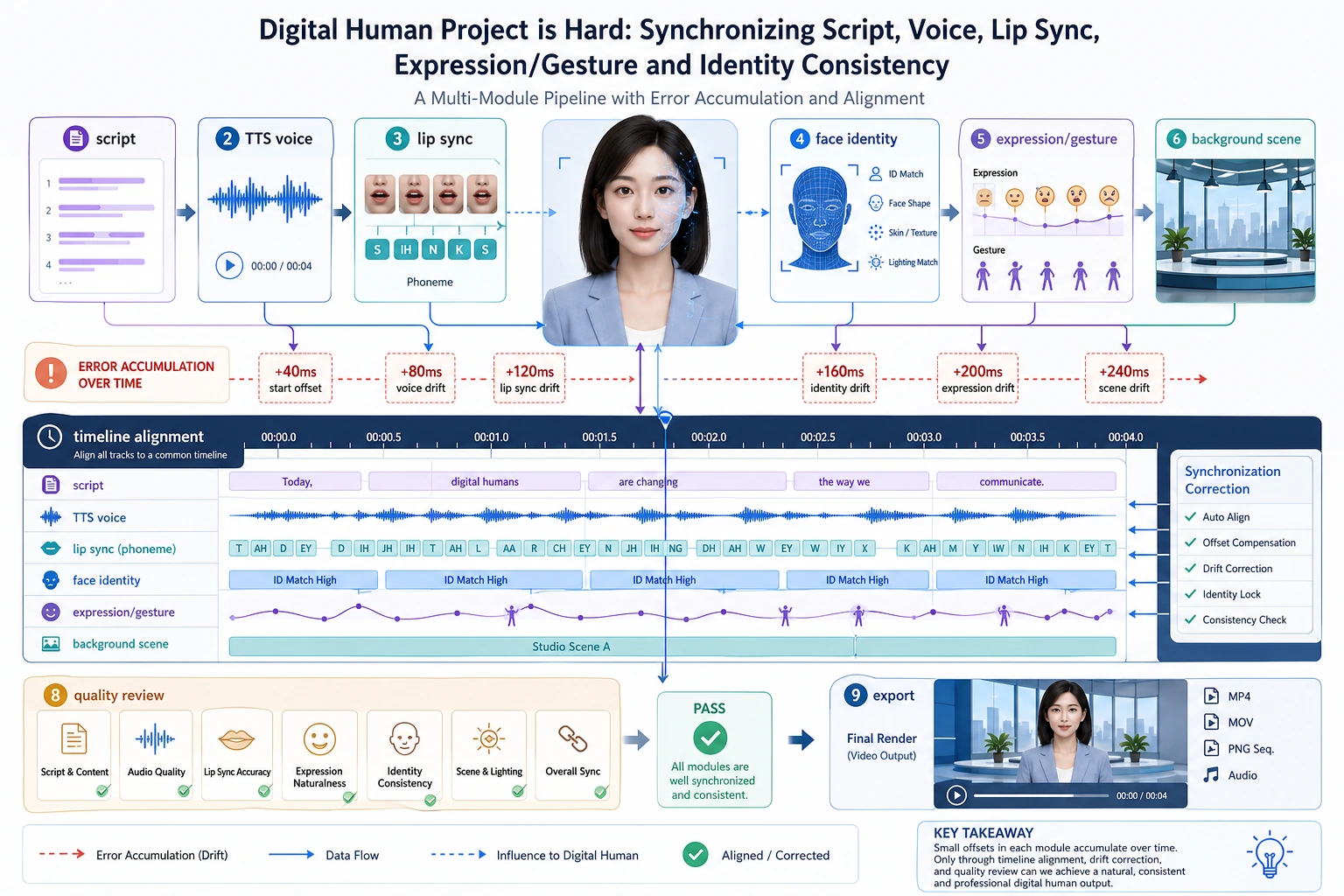
先养成一个习惯:每个生成素材都要说明它在时间线上的位置。
建一个 30 秒素材计划
shots = [
    {"seconds": 8, "visual": "problem screenshot", "voice": "Many course questions repeat."},
    {"seconds": 12, "visual": "RAG pipeline diagram", "voice": "Retrieval adds sources before the model answers."},
    {"seconds": 10, "visual": "final assistant screen", "voice": "The answer is clearer and easier to verify."},
]

for index, shot in enumerate(shots, start=1):
    print(f"shot_{index}: {shot['seconds']}s | {shot['visual']} | voice: {shot['voice']}")
print("total_seconds:", sum(shot["seconds"] for shot in shots))
预期输出:
shot_1: 8s | problem screenshot | voice: Many course questions repeat.
shot_2: 12s | RAG pipeline diagram | voice: Retrieval adds sources before the model answers.
shot_3: 10s | final assistant screen | voice: The answer is clearer and easier to verify.
total_seconds: 30
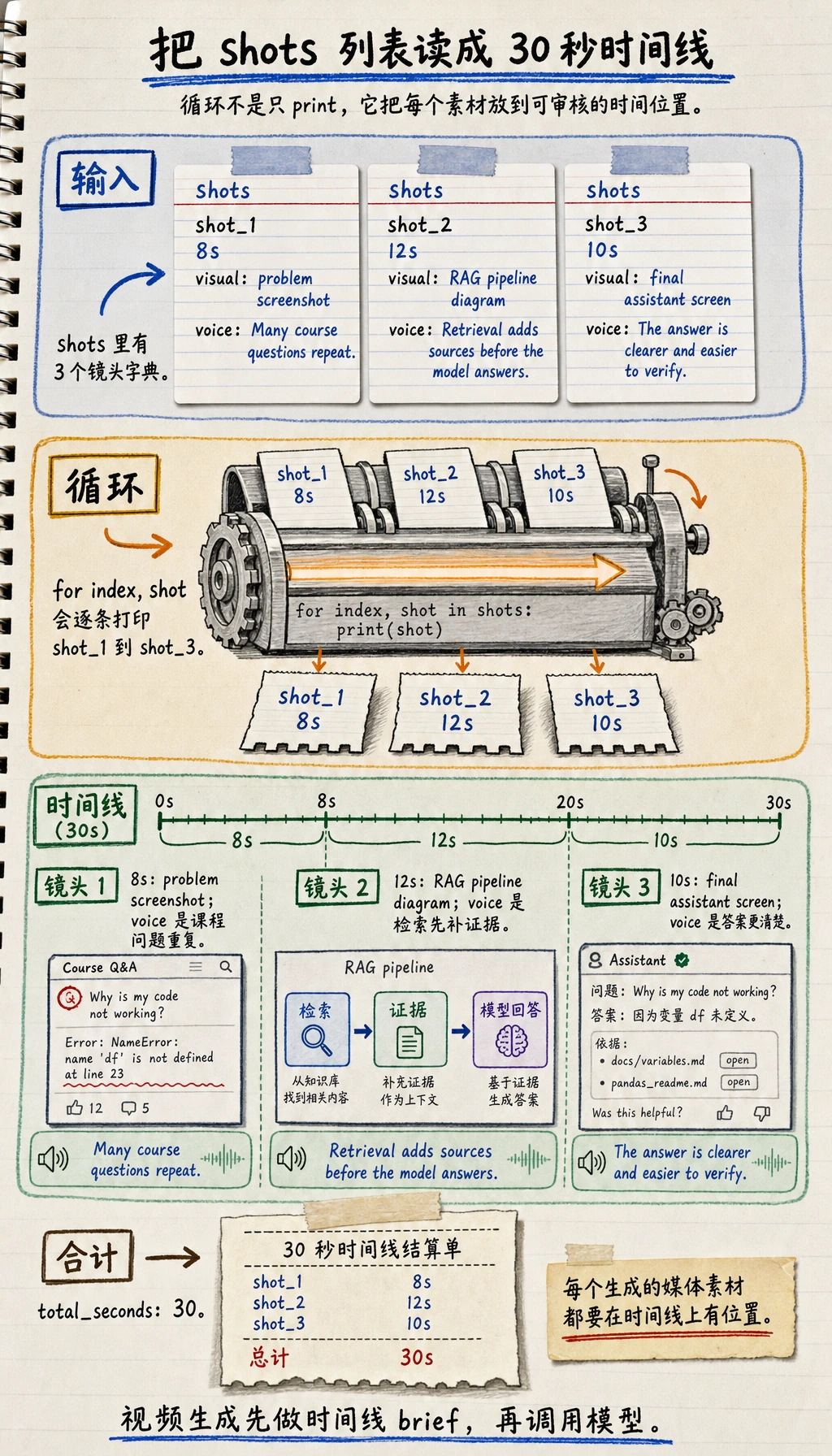
即使还没有调用真实视频模型,这已经是一个可用的视频生成 brief。
按这个顺序学
| 步骤 | 阅读内容 | 练习产物 |
|---|---|---|
| 1 | 视频生成 | 把脚本拆成镜头和视觉提示词 |
| 2 | TTS | 把旁白变成语音设置和字幕文本 |
| 3 | 数字人 | 记录人脸、声音、口型、授权和安全边界 |
通过标准
你能把一个主题拆成包含镜头、旁白、时长、字幕、风险备注和导出要求的时间线,就算通过本章。