8.3.1 アプリ開発ロードマップ:API、Tools、State
LLM アプリ開発は、入力欄とモデル API だけではありません。実際の機能では、入力検証、モデル呼び出し、tool 利用、state 保存、出力解析、エラーログ、回復可能な UX が必要です。
まずアプリケーションループを見る
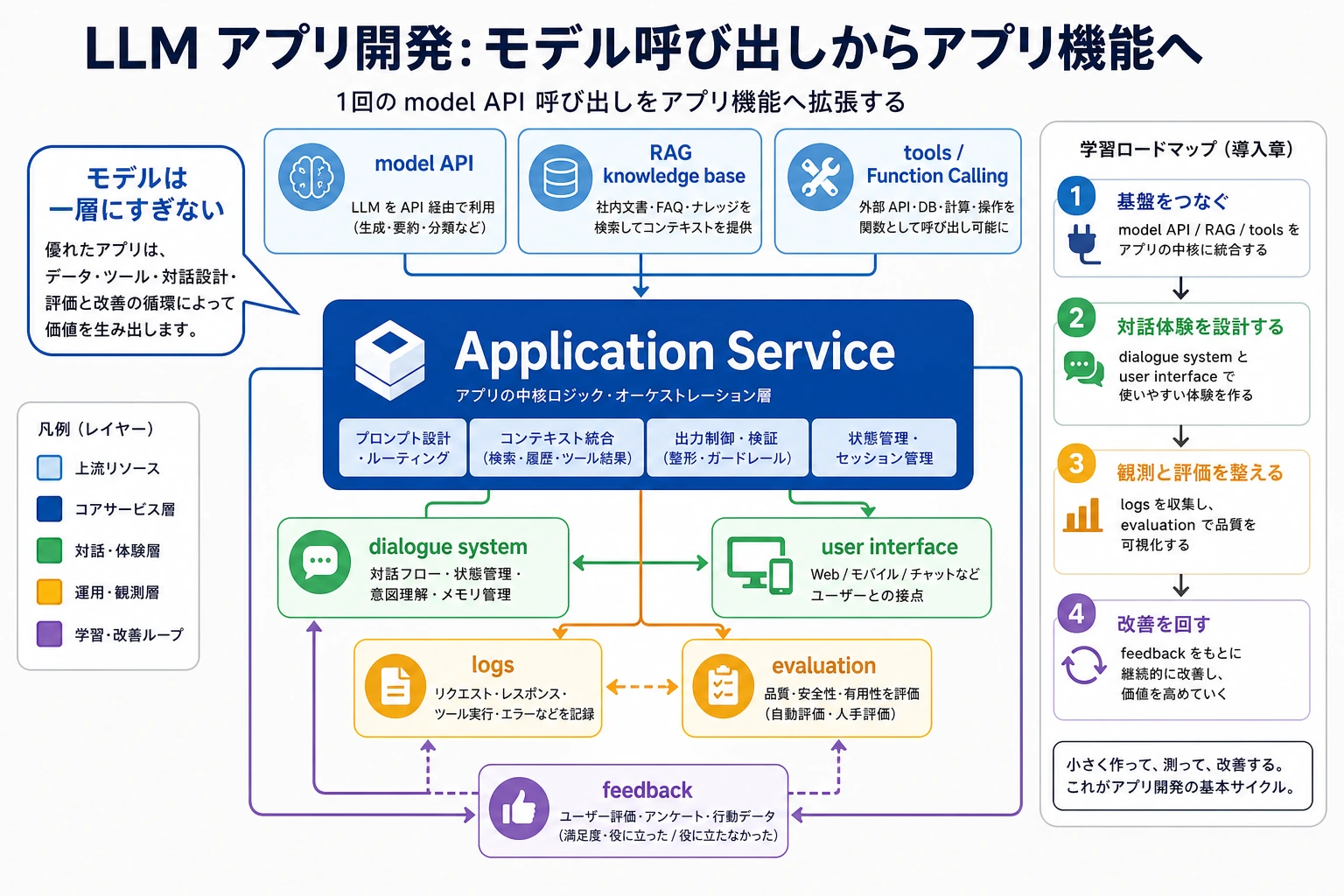
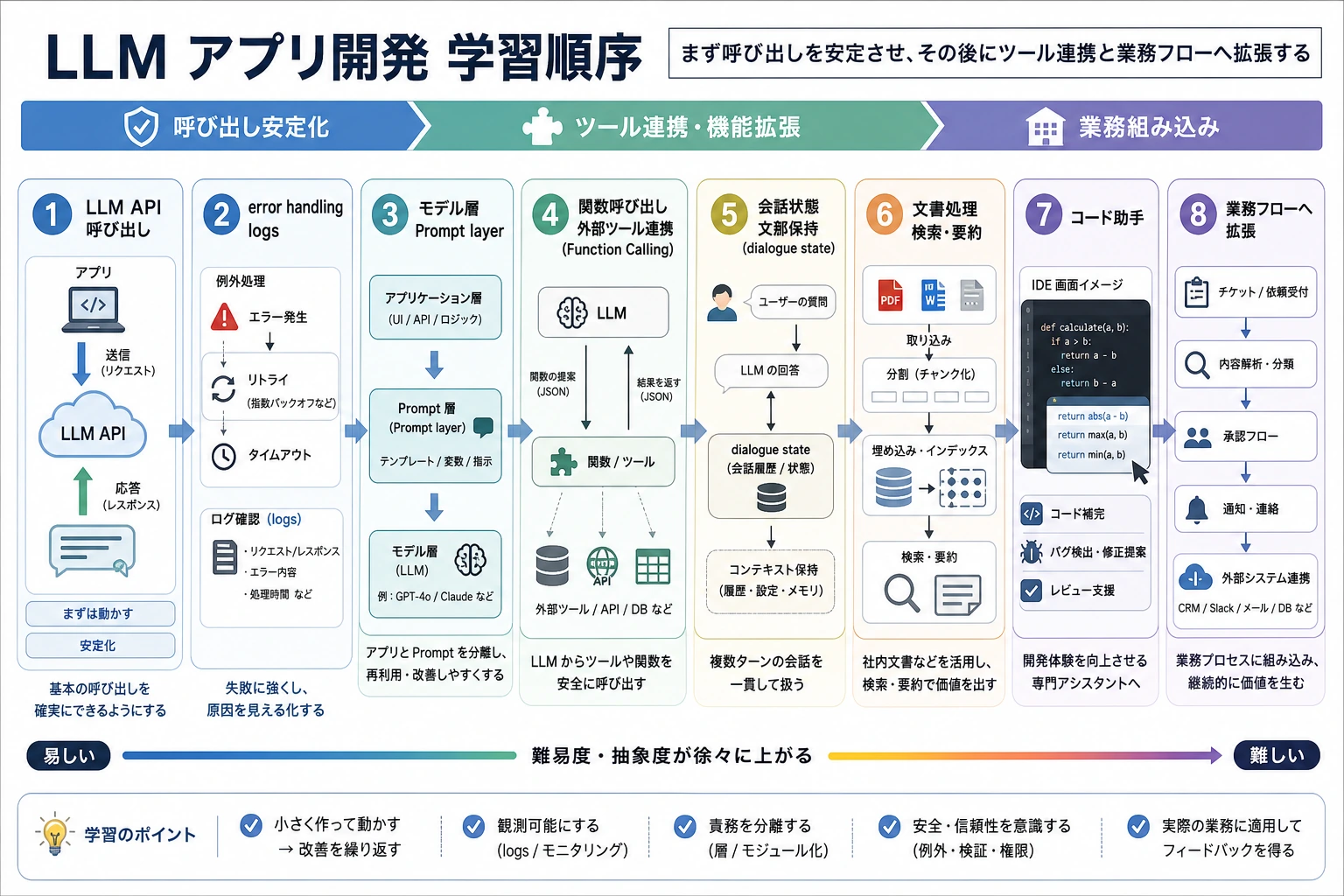
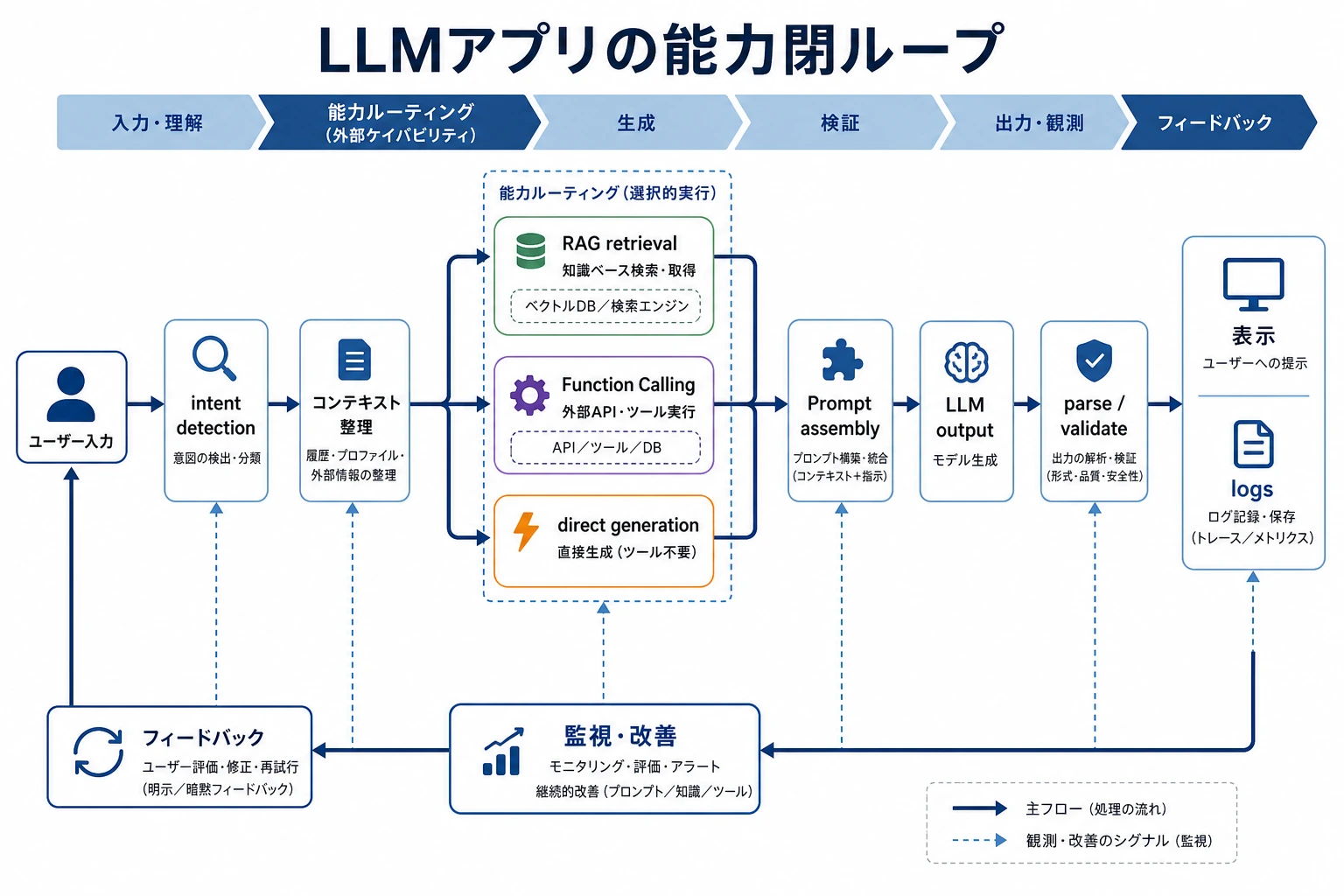
この章では、1 回のモデル呼び出しを保守できるアプリケーションループにします:input、prompt/context、model、optional tool、validation、output、feedback です。
Tool dispatch チェックを動かす
Function Calling では、モデルが構造化された action arguments を提案します。ただし、検証して dispatch する責任はアプリケーション側にあります。
model_output = {
    "tool": "search_docs",
    "arguments": {"query": "RAG citations"},
}

allowed_tools = {
    "search_docs": {"required": ["query"]},
    "create_ticket": {"required": ["title", "priority"]},
}

tool = model_output["tool"]
required = allowed_tools[tool]["required"]
validation_ok = all(name in model_output["arguments"] for name in required)

print("validation_ok:", validation_ok)
print("dispatch:", tool if validation_ok else "block")
出力:
validation_ok: True
dispatch: search_docs
モデルの文章から tool call を直接実行しないでください。tool 名、argument schema、権限、失敗経路を検証します。
この順番で学ぶ
| 手順 | 読む内容 | 実践アウトプット |
|---|---|---|
| 1 | LLM API 実践 | timeout と error handling 付きの安定した call wrapper を書く |
| 2 | Framework 基礎 | prompt、model、tool、memory、retrieval、parser の責務を分ける |
| 3 | Function Calling | dispatch 前に構造化 tool arguments を検証する |
| 4 | Hugging Face エコシステム | hosted、local、browser-side モデルの適性を判断する |
| 5 | 対話システム | session state、slots、memory、user feedback を保存する |
| 6 | 文書とテンプレートアプリ | parsing、extraction、generation を module に分ける |
合格ライン
1 回の API call、1 つの optional tool call、1 つの structured output、1 つの error path を持つ小さな assistant loop を作れれば、この章は合格です。
出口ミニプロジェクトは、コース Q&A と学習計画助手です。ユーザー依頼を分類し、必要なら知識を検索し、構造化された提案を返し、feedback を記録します。