E.B.3 Concurrent Programming (Including asyncio)
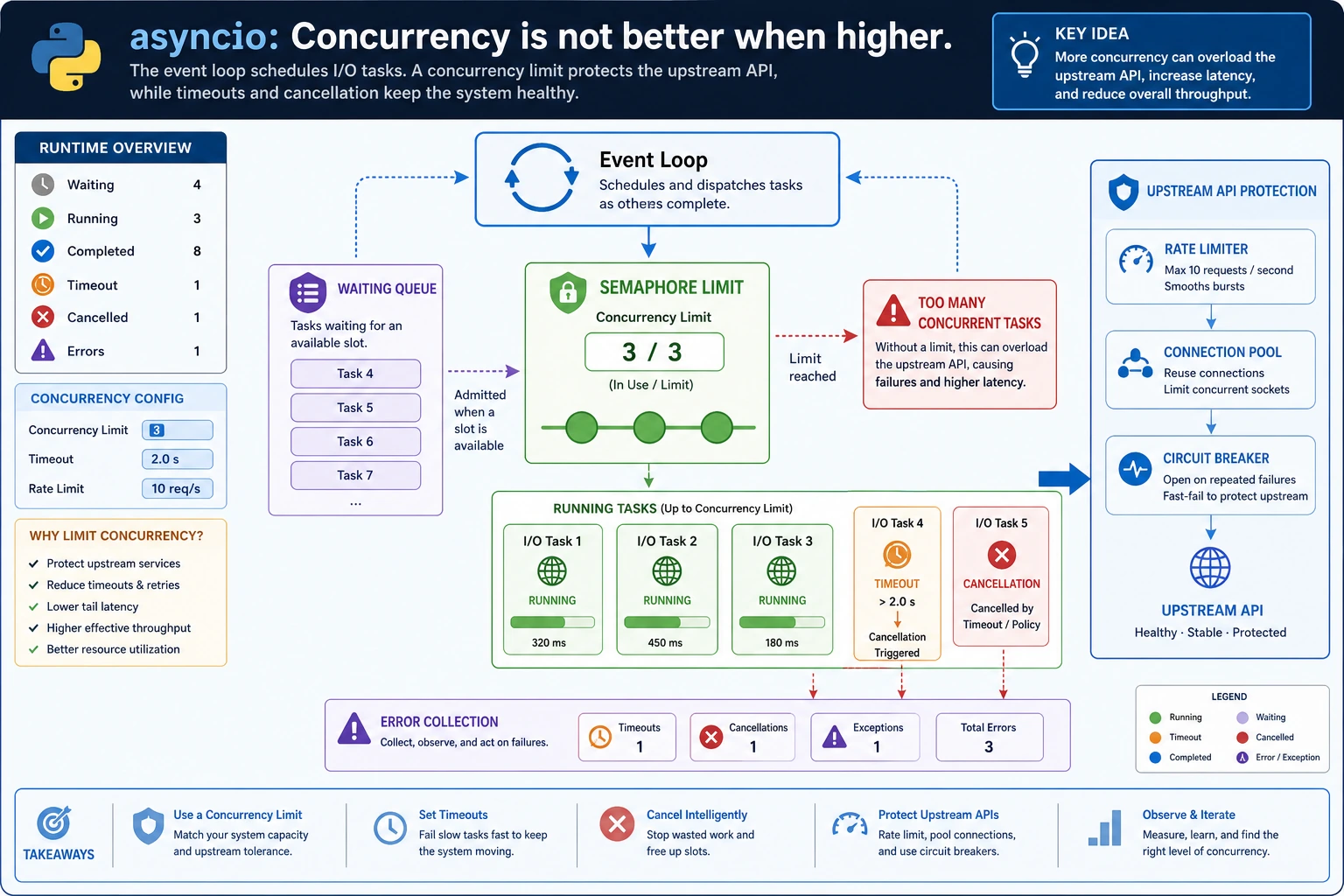
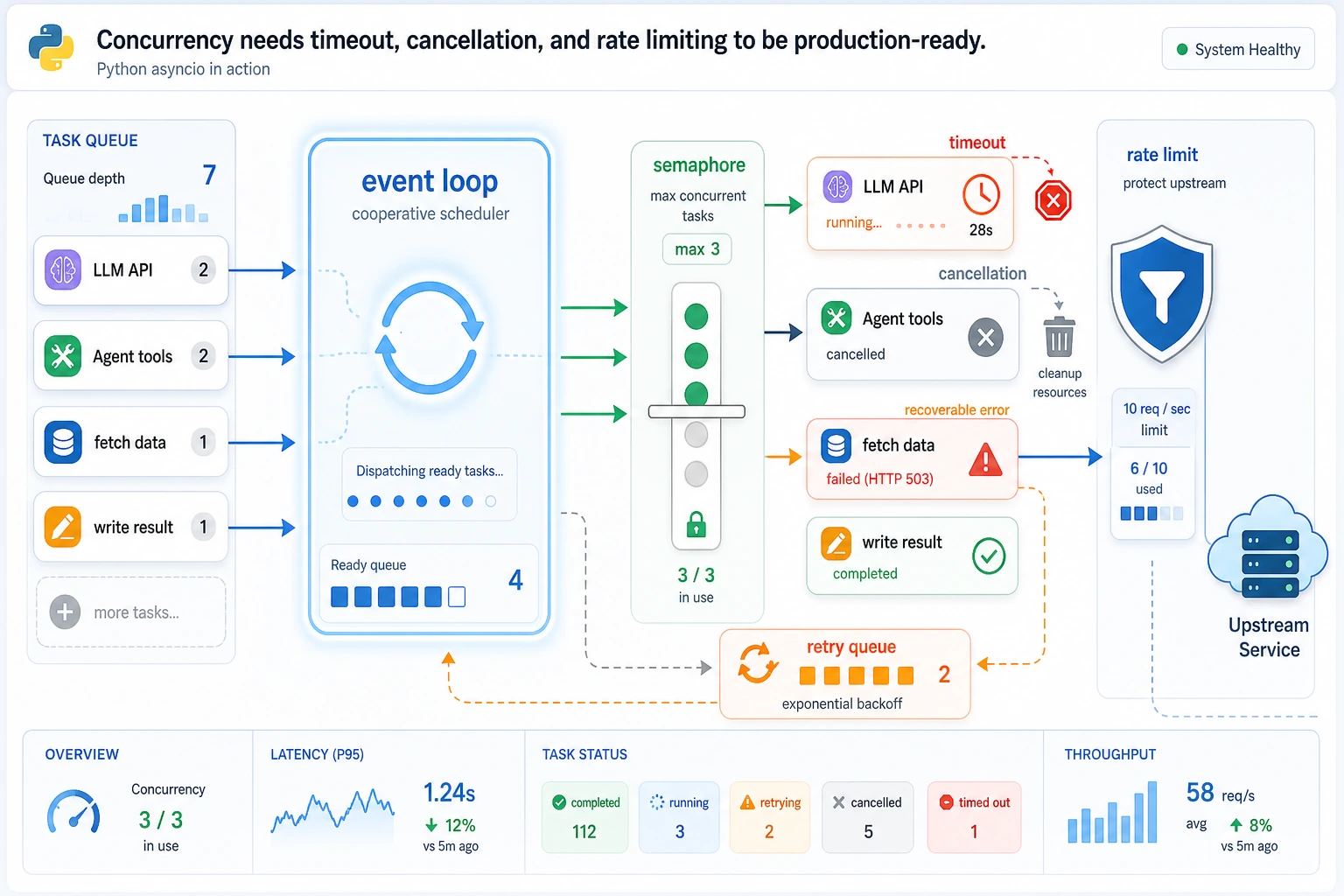
Concurrency helps when the program is mostly waiting: HTTP calls, database calls, file I/O, scraping, RAG retrieval, or Agent tool calls. It is not a magic speed button for CPU-heavy work.
What You Need
- Python 3.10+
- No external packages
- A terminal that can run
python
Key Terms
- I/O-bound: most time is spent waiting for another system.
- CPU-bound: most time is spent computing.
- Coroutine: an async function that can pause with
await. asyncio.gather: run multiple awaitables and collect results.- Semaphore: limit how many tasks can run at the same time.
- Timeout: stop waiting after a fixed limit.
Run A Controlled Async Batch
Create async_batch.py:
import asyncio


async def call_tool(name, delay):
    await asyncio.sleep(delay)
    return f"{name}:ok"


async def guarded_call(semaphore, name, delay, timeout):
    async with semaphore:
        try:
            return await asyncio.wait_for(call_tool(name, delay), timeout=timeout)
        except asyncio.TimeoutError:
            return f"{name}:timeout"


async def main():
    semaphore = asyncio.Semaphore(2)
    results = await asyncio.gather(
        guarded_call(semaphore, "search", 0.1, 0.5),
        guarded_call(semaphore, "database", 0.2, 0.5),
        guarded_call(semaphore, "slow_tool", 1.0, 0.3),
    )
    print(results)


asyncio.run(main())
Run it:
python async_batch.py
Expected output:
['search:ok', 'database:ok', 'slow_tool:timeout']
The important pattern is not just gather. It is gather plus a concurrency limit plus timeout handling.
Change The Limit
Run this tiny check to see the two possible limits:
import asyncio

for limit in [2, 1]:
    semaphore = asyncio.Semaphore(limit)
    print("limit:", limit, "semaphore:", type(semaphore).__name__)
Expected output:
limit: 2 semaphore: Semaphore
limit: 1 semaphore: Semaphore
The final result stays the same, but tasks run more conservatively. In real services, this protects upstream APIs from sudden request bursts.
When To Use Asyncio
Good fit:
- Many network requests
- Multiple tool calls
- RAG retrieval from several sources
- Waiting on databases or queues
Poor first choice:
- Heavy numerical computation
- Large image transformations
- Code that must stay very simple and has no waiting bottleneck
Common Mistakes
- Adding
asynceverywhere without checking whether the task is I/O-bound. - Using
gatherwithout a concurrency limit. - Forgetting timeouts, so one slow upstream blocks the whole workflow.
- Swallowing exceptions without logging which task failed.
Practice
Add five more tool calls and set Semaphore(3). Then count how many return :timeout when you lower the timeout to 0.15.