E.E Web Front-End Basics in Fast Track
An AI feature needs a surface users can operate. The smallest useful front end shows input, loading, success, empty input, error, and retry states clearly.
See the Interaction Stack First
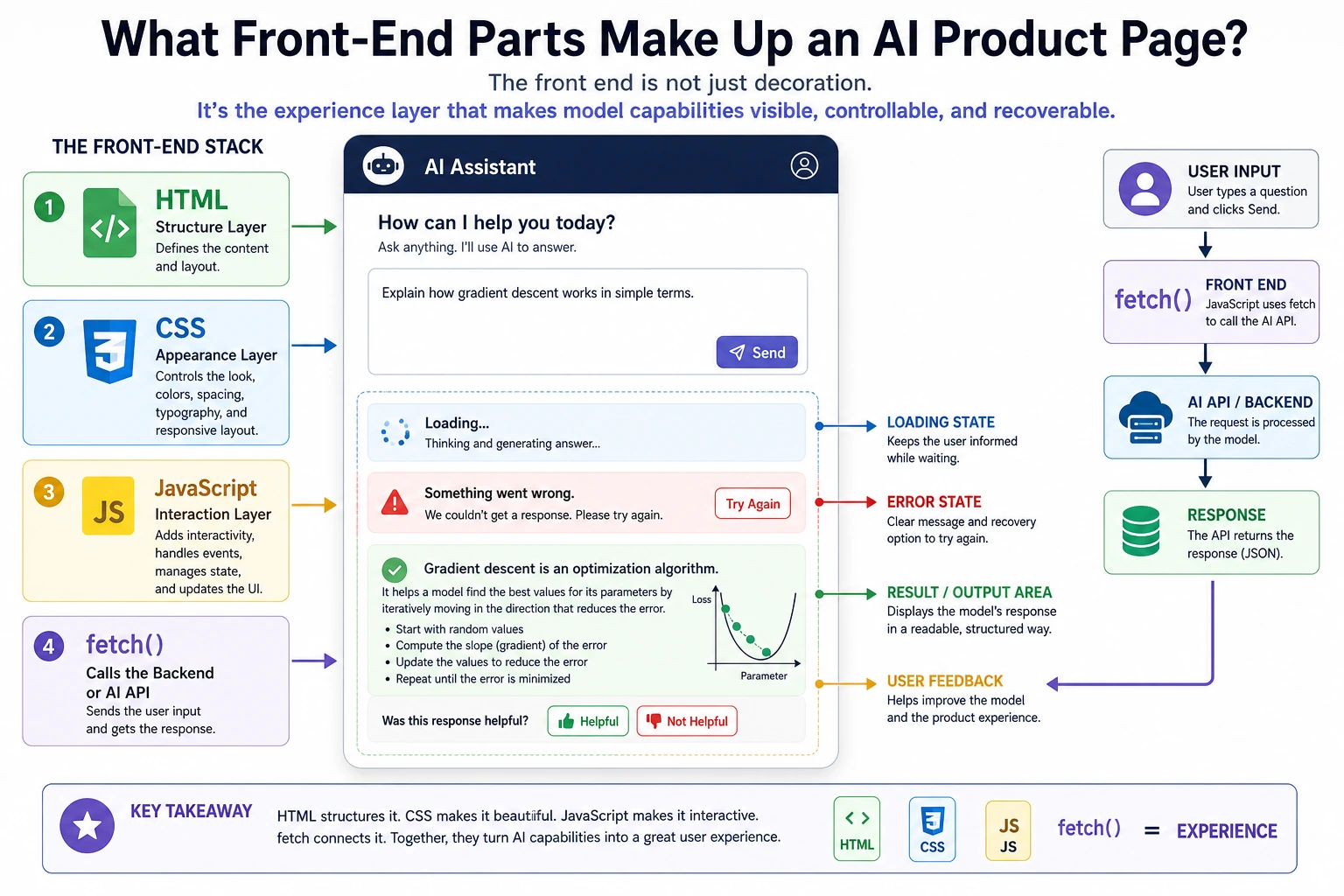
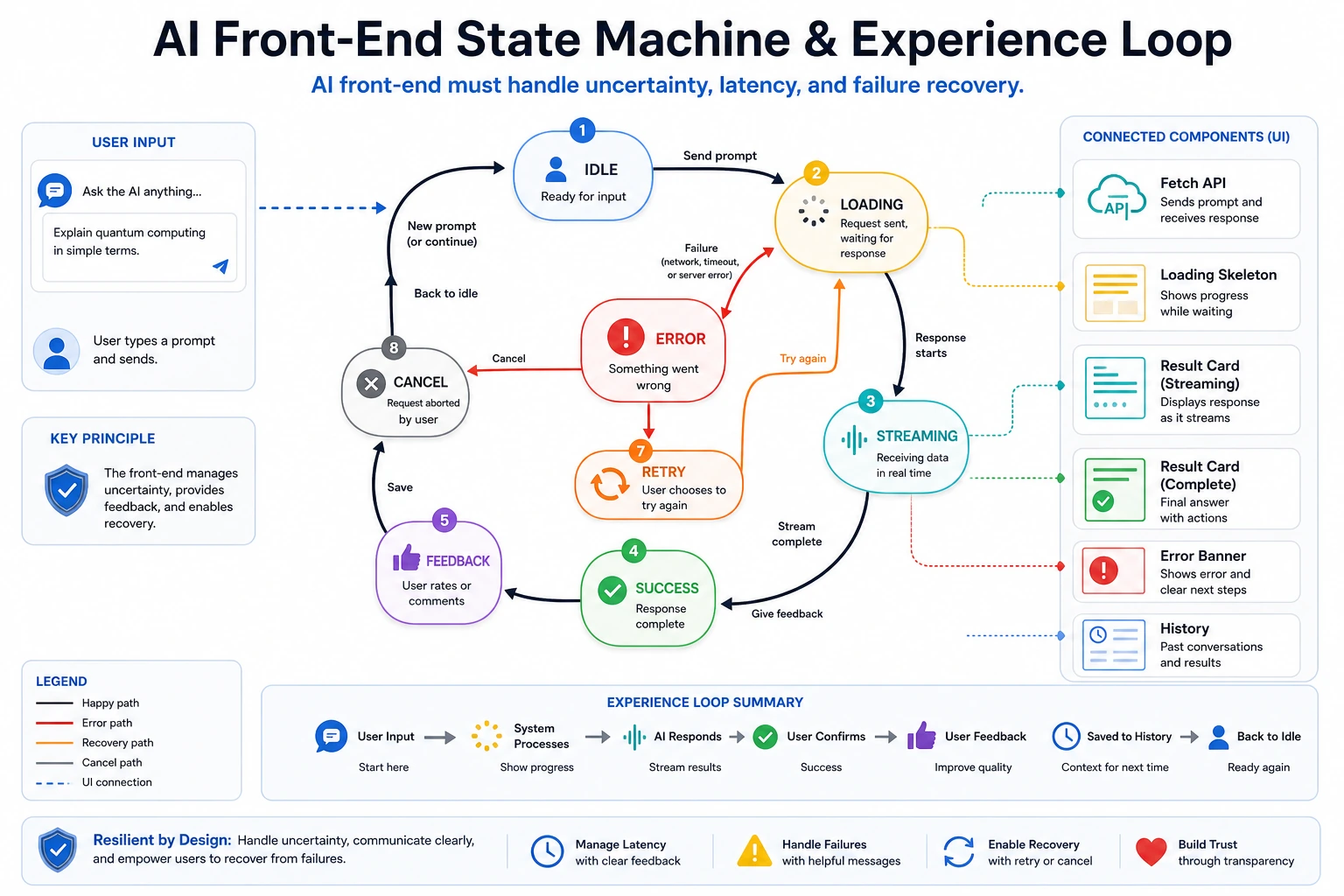
Treat every model call as uncertain: it may be slow, fail, return partial output, or need a retry.
Run the Smallest Static AI Page
Save this as ai-demo.html and open it in a browser:
<!doctype html>
<html lang="en">
<meta charset="utf-8" />
<title>AI Demo</title>
<style>
  body { font-family: system-ui, sans-serif; max-width: 720px; margin: 40px auto; }
  textarea, button, pre { width: 100%; box-sizing: border-box; margin-top: 12px; }
  textarea { min-height: 100px; padding: 12px; }
  button { padding: 10px; }
  pre { min-height: 80px; padding: 12px; background: #f3f4f6; white-space: pre-wrap; }
</style>
<h1>AI Feature Demo</h1>
<textarea id="prompt" placeholder="Ask a question"></textarea>
<button id="run">Run</button>
<p id="status">idle</p>
<pre id="result">result appears here</pre>
<script>
  const promptEl = document.querySelector("#prompt");
  const statusEl = document.querySelector("#status");
  const resultEl = document.querySelector("#result");

  document.querySelector("#run").addEventListener("click", async () => {
    const text = promptEl.value.trim();
    if (!text) {
      statusEl.textContent = "empty";
      resultEl.textContent = "Please enter a prompt first.";
      return;
    }

    try {
      statusEl.textContent = "loading";
      resultEl.textContent = "Please wait...";
      await new Promise((resolve) => setTimeout(resolve, 500));
      if (text.toLowerCase().includes("fail")) {
        throw new Error("simulated backend error");
      }
      statusEl.textContent = "success";
      resultEl.textContent = "Simulated answer: " + text;
    } catch (error) {
      statusEl.textContent = "error";
      resultEl.textContent = error.message + ". Try again.";
    }
  });
</script>
</html>
Expected browser behavior:
- Empty prompt: status becomes
empty. - Normal prompt: status goes
loadingthensuccess. - Prompt containing
fail: status becomeserror.
Replace the Fake Call Later
When your backend exists, replace the simulated wait with fetch:
const response = await fetch("/api/chat", {
  method: "POST",
  headers: {"Content-Type": "application/json"},
  body: JSON.stringify({prompt: text}),
});
const data = await response.json();
resultEl.textContent = data.answer;
Pass Check
You pass this elective when one AI page handles input, loading, success, empty input, error, and retry states without confusing the user.