0.2 Environment Setup
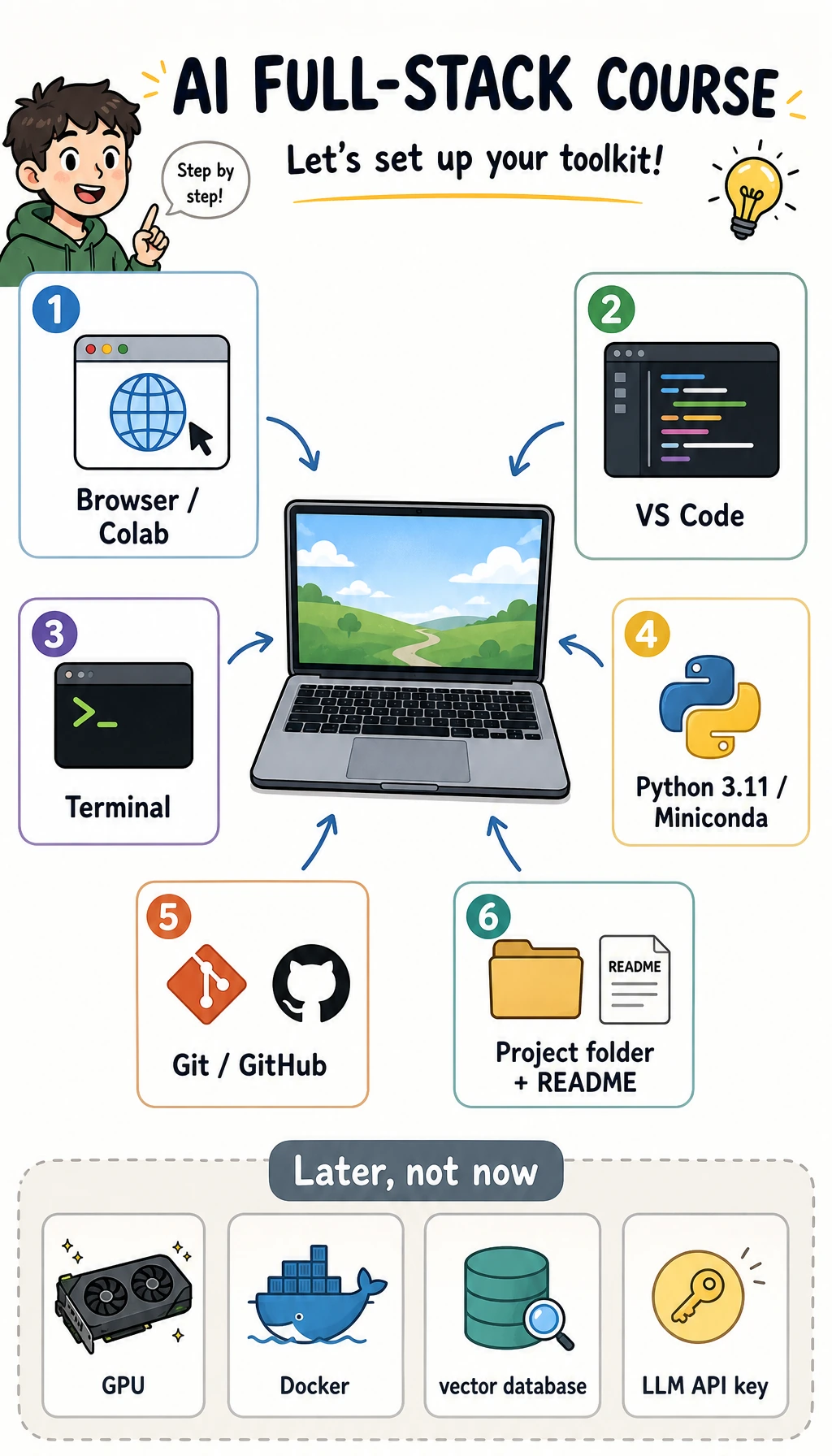
Install less first. The goal is only: enter one folder, run Python, save code with Git, and keep enough evidence that another person can rerun your work.
Install Now
| Tool | Use |
|---|---|
| Browser | Course, Colab, GitHub, AI tools |
| VS Code | Edit files |
| Python 3.11 | Run examples |
| Git | Save checkpoints |
Install Docker, CUDA, vector databases, and large frameworks later. Installing too much too early makes beginner errors harder to locate.
Choose One Python Command
Different machines use different Python launchers. Pick the first command that works and keep using it in your notes.
| System | Try first | If that fails |
|---|---|---|
| macOS / Linux | python3 --version | python --version |
| Windows PowerShell | py -3.11 --version | python --version |
| Colab | no install needed | use the notebook runtime |
When a later command says python, replace it with the command that worked on your machine.
Five-Minute Check
python3 --version
git --version
mkdir ai-learning-lab
cd ai-learning-lab
python3 -m venv .venv
source .venv/bin/activate
python -c "print('AI course environment is ready')"
git init
Windows PowerShell activation:
py -3.11 -m venv .venv
.\.venv\Scripts\Activate.ps1
Expected signal:
AI course environment is ready
Initialized empty Git repository ...
If The Check Fails
| Symptom | Do this first | Keep as evidence |
|---|---|---|
python3 not found | Try the command table above, then install Python 3.11 | The command and full error |
| virtual environment activation fails | Check your shell: zsh/bash uses source, PowerShell uses Activate.ps1 | Shell name and activation command |
git not found | Install Git, reopen the terminal, retry git --version | Version output or error |
| permission error | Move the project under your user folder, not a protected system folder | Current directory from pwd |
If this still fails, use Colab for now and return after Chapter 1. The pass line is simple: enter a folder, run Python, initialize Git.
What Experienced Learners Should Check
If you already have a setup, do not skip the page completely. Confirm that you can explain:
- Which interpreter runs this course project.
- Where dependencies will be installed.
- How you will recreate the environment on another machine.
- Which files should be committed and which should stay local.
The environment is part of the course output. A project that only works on your laptop is not finished yet.